|
ISP Review looks at wireless Internet access usng a mobile phone |
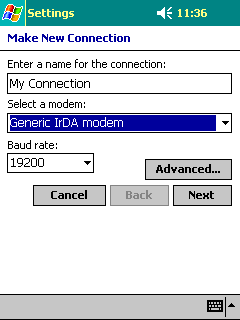
 Essentially all you need to do for IrDA is to create a new DUN profile on the PocketPC as if you were using a normal modem. You will need to enable the phones IrDA port and align it with the PocketPC’s port in order for this to work.
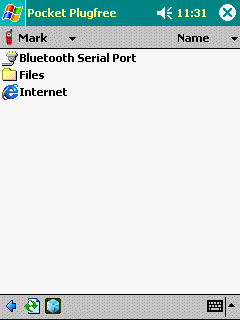
If you’re on Bluetooth then make sure you’ve paired the mobile and PocketPC properly first and ‘Discovered’ the services on each accordingly. IMPORTANT: If using Bluetooth then note that unless it’s extremely poor software, it should create the primary DUN profile for you (may have a strange name). Go into the BT software, select your phone (should be paired), services and then click ‘Internet’. You may be asked for the ISPs phone number, username and password. Note that it may now try to connect you; cancel the connection as you will need to edit the profile it has created (described a few lines below).
Having done the above for either IrDA or Bluetooth then you will now no doubt find that while your PockectPC (PDA) can dial via the phone, it’s still unable to make a connection. This is because the PDA is assuming you’re on a normal phone line, thus the following three settings must be altered in the profile:
[Print Page | Next Page (4)]>>
Have something
to say? Check out the ISP Review Forum -->
http://www.ispreview.co.uk/cgi-bin/ubb2/ultimatebb.cgi |