5. Try an antenna booster
Article Index:
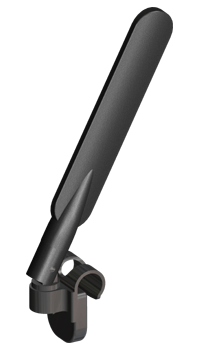
Arguably the easiest solution to improving your reception quality might be to connect an external antenna / aerial booster to your Mobile Broadband USB Modem. We’ve seen some websites claiming that these can have a significant bearing on reception quality, though many such sites often have a vested commercial interest in selling the very same devices and thus their claims should be taken with a pinch of salt.
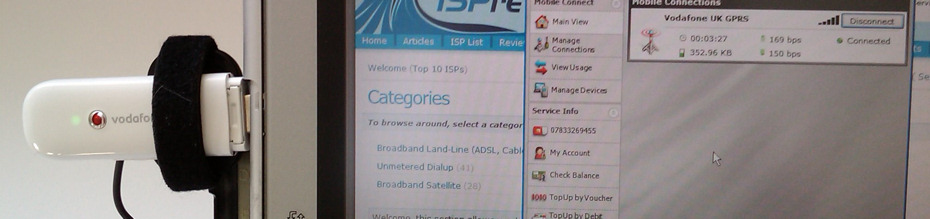
There are also several different types from clip-on options for laptops, high gain directional antennas, special antennas for cars and right up to the BIG panel antennas for if you have bags of spare cash and nothing to lose. Costs range from about £20 for a simple Clip-on antenna option and go all the way up to nearly £80 if you want a big wall mountable panel antenna. We chose to test one of the more consumer friendly Clip-on Antenna’s from Panorama (check site for a list of CRC9 compatible modems) with a universal wrap-around connector, which should work with any USB Modem. Suffice to say that we hit a number of problems during our tests, not least that the clip was too small for our laptop screen and so we ended up having to tape it on (note: our laptop is old and big, it should fit fine for most people). We also had difficulty knowing precisely where to position the Velcro wraps module around our modem (i.e. it’s supposed to be as close as possible to the internal antenna); with some trial and error we eventually found the best location at the bottom front of the modem, just behind its USB connector.
We then set about testing the antenna, changing its position, using it outside, using it inside at various different points around the house, driving to different locations, trying at peak and off-peak times.. pretty much anything you could imagine really. Generally speaking we saw no appreciable improvement in signal quality and if anything the signal was actually better without the antenna.
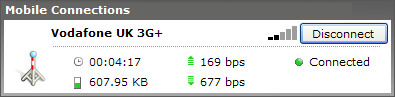
* The above results represent an average taken from 4 tests each (with and without antenna) at around 7pm. The performance differences are well within a standard margin of error – i.e. no appreciable difference.
|
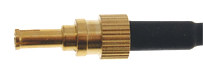 Those choosing to take this rout need to understand some things first, not least that such enhancements are expensive and most USB Modems do not include the CRC9 external antenna connector necessary for optimal use. Neither of our