Study Claims 36 Percent of UK Adults with Home Wi-Fi Suffer Poor Connection
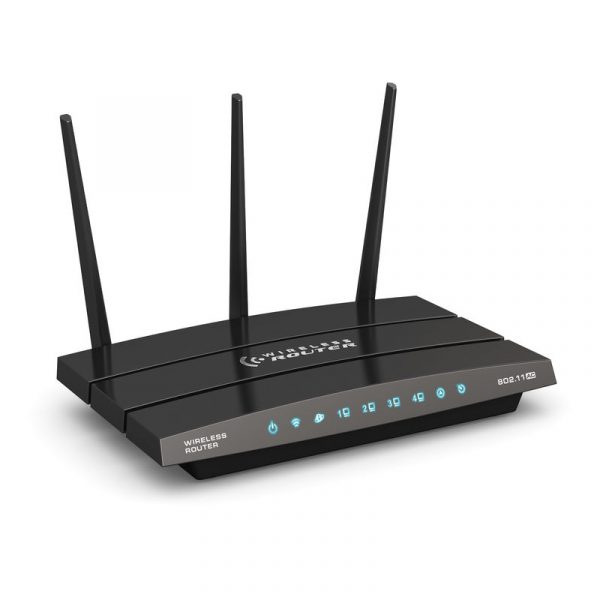
According to a recent “nationally representative” OnePoll survey of 2,000 UK adults with Wi-Fi at home, which was commissioned by Uswitch.com, some 36% of respondents said they “struggle with their Wi-Fi connection” (15% said this impacts multiple rooms of their home) and 24% have to go to a different room to use streaming as it does not work across their entire home.
Of those who struggle with their Wi-Fi, some 37% try to stay in rooms with the best Wi-Fi connection and avoid rooms with dead spots, while 10% say they struggle to get Wi-Fi in their living room (51% said their living room is the best place in their home for connection) and 6% even avoid using their living room room due to poor connection.
Otherwise, the main bedrooms (24%), guest bedrooms (23%), and kitchens (22%) were noted as the worst rooms for Wi-Fi dead spots. In addition, 21% said their phone calls also disconnect in certain rooms of their home, although this one is harder to judge as it depends what kind of underlying phone and service is actually being used (e.g. mobile, DECT phone, traditional landline phone etc.) – the survey didn’t specify.
Advertisement
Finally, the survey reported that 61% of respondents had taken measures to improve their home’s connection, with the average spend on these home improvements coming to £55.70. The survey didn’t dig into this much, but we’re probably talking about changing the placement of the router and adding Wi-Fi extenders / mesh units etc. (see our – Top Tips for Boosting Home Wi-Fi).






Mark is a professional technology writer, IT consultant and computer engineer from Dorset (England), he also founded ISPreview in 1999 and enjoys analysing the latest telecoms and broadband developments. Find me on X (Twitter), Mastodon, Facebook, BlueSky, Threads.net and Linkedin.











« Broadband ISP Nufibre Launch eSIM Based Unlimited UK Mobile Plan
Advertisement
Leave a Reply
Privacy Notice: Please note that news comments are anonymous, which means that we do NOT require you to enter any real personal details to post a message and display names can be almost anything you like (provided they do not contain offensive language or impersonate a real person's legal name). By clicking to submit a post you agree to storing your entries for comment content, display name, IP and email in our database, for as long as the post remains live.
Only the submitted name and comment will be displayed in public, while the rest will be kept private (we will never share this outside of ISPreview, regardless of whether the data is real or fake). This comment system uses submitted IP, email and website address data to spot abuse and spammers. All data is transferred via an encrypted (https secure) session.

















Home Wi-Fi …. wouldn’t that be home broadband?
In this case the survey was focusing on Wi-Fi and wireless signals.
Continental Europe has a higher proportion of apartments where WiFi signal travel more easily than UK homes which are more likely to be 2 or 3 storey houses, sometimes with stone or brick construction and with brick or block internal walls. Broadband providers should do more to market mesh WiFi systems – without this my 4 storey house would suffer zero WiFi connectivity on the top floor. As it is, my 500 Mbps connection still gives me 145 Mbps on the uppermost floor. As it is many consumers are ill-informed of what steps they should take to get the speeds they are paying for.
Not sure where you have that information from. UK houses are made if cardboard in comparison to most central European houses with thick concrete internal walls. WiFi signals slice through typical UK houses without any issues.
A real issue is folks are very happy to pay for his & her gold plated iPhones, CinemaScope sized TVs and more CCTV cameras than the Met Police.
But suggest spending a few hundred on adding a suitable home network and you will be greeted with a scream last heard at the Spanish Inquisition.
For a home with a dozen rooms on two levels we have an ISP Hub with Wi-Fi, plus two Wireless Access Points and network sockets in four rooms. A modest investment to achieve reliable Zoom, Network Printing and TV Streaming.
Two bedroom house, with thick internal walls here, router downstairs in living room, no problem with Wi-fi in the house. I have a lot of smart home stuff using Wi-fi, but my computer, TV and other things are wired. But I can use my phone in any room with no issues.
Some of the problem was going to 5Ghz for a lot of people, it bounces more than the old 2.4Ghz. Partner lives in a house that is over 100 years old, really thick walls, 4 bedrooms, again, no real issues with Wi-fi, even in the loft.
It also depends on where people stick their router, sticking it under the TV, in a cupboard or on top of the microwave, don’t help.
I know people who had been talked into getting wi-fi extension from their provider, which cost them money each month. After a few minutes I got their Wi-fi working fine in every room, so they can get rid of these extensions.
The best idea is to use Ethernet or some other wire connection where possible.
I did know of one person who had Wi-fi issues that could not be solved without a Wi-fi extension, I think their walls must have had lead in. Every time I went into their house my phone lost signal
No need to spend a load of money.
Most issues are caused by the position of the Router which inevitable means where the service enters the house. Even if the customer elects to take the WIFI addon products from their supplier the same physics of the wall materials apply. Not helped by misleading advertising and advice (particularly on extenders). Then there are those that hide the Router behind their TV etc.
The easiest path of travel is more likely through the ceiling so most houses simply need an Ethernet cable from the router to centrally above the first floor ceiling and the second floor ceiling etc (with additional ones above specific rooms if required) using decent quality PoE WIFI Access points. All other solutions in my view are just a bodge, even if a Mesh is used to avoid cabling as an expedient.
The sad reality is that few people understand how RF works, and even fewer understand how easy it is to degrade router or AP antenna performance. People hide routers behind other stuff, put them in cupboards, place them low down on the floor, even place them right next to big lumps of metal that will seriously detune the antennas.
Part of the problem is also that ISPs, understandably, want an easy life. They want to de-skill the customer-facing work to the point where the customer can DIY it. Fine if customers understand enough about RF to understand what’s going to degrade wifi performance. Not great for those for whom tidiness trumps performance!
Mesh systems can help, but they are a bit messy looking, and some just don’t like extra boxes sat on shelves or furniture, taking up additional power outlets. I’ve found the simplest fix was to abandon the combined router and AP that most ISPs supply as standard. Although this means a cable run from the router to an AP (which can be PoE powered) it allows the router to be positioned wherever the incoming service is and the AP to be positioned wherever it gives best coverage. Often these two locations are mutually incompatible, as the router position will invariably be dictated by wherever the old phone cable came in.
I have a wired-only router tucked away in a cabinet in a corner of the house, above where the fibre comes in, and an AP discreetly mounted into the ceiling in the hall, smack bang in the centre of the house. The result is really fantastic wifi coverage everywhere indoors. Took maybe an hour to install, if that. Well worth it IMHO.
Well, let’s be realistic. The real problem is that we have a downer on education in this country, (in the broadest possible sense). Nobody wants to understand anything. They just want someone to do it for them. The average customer doesn’t have a clue how it works or how to set it up properly.
Unfortunately, anything beyond the router is the customers responsibility. ISPs don’t supply Wi-Fi because it is any good, they supply it because it is cheap and easy for them. And, of course, any techie of a certain age will tell you, real networks use wires.
I agree. You can even tell by the way they market broadband connections as “fibre”, everyone calling broadband connections “WiFi”, etc
It can actually be quite tricky, as I found trying to get decent wifi signal all throughout our rather large house. I the end I put Cat 5e wherever I could get it to and that does the backhaul to my 3 x TP-Link Deco APs with everything connecting to a 16 port Gigabit switch in a cupboard in the centre of the house. I switched off 2.4Ghz on the Decos as the band is too crowded – 2.4Ghz goes through walls rather too well and clashes with the neighbours wifi. I don’t get any conflicts with the neighbours using 5Ghz but of course even the walls in the house do attenuate the signal somewhat, hence needing a total of 4 x 5Ghz APs to cover the entire house. I’ve also got 2 x 2.4Ghz APs for those IoT devices that don’t like 5Ghz – one is in my garage for the Meross garage door opener! I use a wifi 6 device in my lounge so I can get up to 1.2Gbps to my laptop. The Decos seem to typically manage about 250Gbps. At some point I might upgrade the cabling and replace the Decos with some wifi 7 devices but probably not worth the expense atm.
This won’t be ‘nationally representaive’ due to sample bias. People are far more likely to respond to the survey if they have something ro complain about.
The router generally needs to be near a power outlet, and these days generally next to the ONT. The ATA, any wired connections have to come Bach to that point too. Trying to achieve this high up in a room is not very practical. A detachable antenna, and optional RF cable or built in PoE port in the router and separate antenna module that can clip to the side of the router or optionally be placed in a more optimal position would serve well. Yes it would cost a bit more, but could be offered as an upgrade. Still have all the ISP could controls to make fault finding easy (clip the antenna module back in the side if the router, does WiFi work? Yes-it’s your wiring etc)
I’m on Virgin Media Gig1 and use a TP-Link Deco mesh system rather than relying solely on the ISP router. I’ve got multiple devices connected, including consoles, phones and streaming devices, and generally have strong coverage and a stable connection throughout my flat. It’s a good example of why broadband speed and Wi-Fi quality aren’t necessarily the same thing. A decent mesh setup can make a big difference.