Home
 » ISP News » 
Sponsored Links

Sky Mobile UK Simplifies eSIM Setup for Apple Devices
Thursday, Mar 20th, 2025 (12:01 am) - Score 1,880
Sky Mobile UK

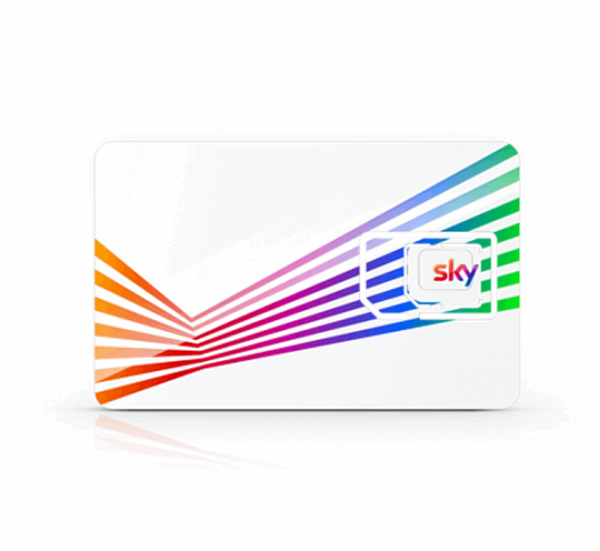
Customers of the Sky Mobile (Sky Broadband, Sky TV etc.) service, which harnesses O2’s Mobile Virtual Network Operator (MVNO) platform, may like to know that they’ve recently made it even simpler for you to activate your eSIM on Apple devices (iPhone etc.) with iOS 18 or later. No more scanning of QR codes.

The change means that when you purchase an eSIM and choose to install it on an Apple device, you’ll now receive a ‘Quick Install’ link instead of a QR code. “This new feature takes you directly to the installation and activation stage — making it a seamless experience right from the start,” said Sky. Customers can get the link by logging into their Sky account and then entering the eSIM confirmation code that is sent by email.

NOTE: eSIMs embed an electronic SIM into your device (Smartphone) that could – once fully implemented – make it easier and quicker to switch between operators (e.g. not having to wait for a SIM card to arrive) and to use additional networks alongside your main mobile service (e.g. eSIMs for travel when abroad).

However, Android users, and those on older versions of iOS, will still have to follow the regular eSIM activation steps by scanning a QR code.

Advertisement

Share with Twitter
Share with Linkedin
Share with Facebook
Share with Reddit
Share with Pinterest
Tags: , , ,
Mark-Jackson
By Mark Jackson
Mark is a professional technology writer, IT consultant and computer engineer from Dorset (England), he also founded ISPreview in 1999 and enjoys analysing the latest telecoms and broadband developments. Find me on X (Twitter), Mastodon, Facebook, BlueSky, Threads.net and .
Search ISP News
Search ISP Listings
Search ISP Reviews
Comments
6 Responses

Advertisement

  1. Avatar photo Kyle says:

    I’ve always been given a link anyway, as a QR alternative. What’s so special?

  2. Avatar photo John says:

    Also iOS already has smarts that would mean that you can click on the QR code instead of scanning..

  3. Avatar photo Blue Shirt Guy says:

    Serious question, how do you open a link on a phone that’s not yet got an internet connection because no SIM has yet been installed?

    1. Avatar photo Bubbles says:

      WiFi

    2. Avatar photo Matt says:

      Wi-Fi

    3. Avatar photo KAC says:

      Connect the phone to WiFi.

Comments are closed

Cheap BIG ISPs for 100Mbps+
Community Fibre UK ISP Logo
100Mbps
Gift: None
Plusnet UK ISP Logo
Plusnet £22.99
145Mbps
Gift: £155 Reward Card
Vodafone UK ISP Logo
Vodafone £23.00
150Mbps
Gift: None
Youfibre UK ISP Logo
Youfibre £23.99
150Mbps
Gift: None
Virgin Media UK ISP Logo
Virgin Media £24.99
264Mbps
Gift: First 3 Months Free
Large Availability | View All
Cheap Unlimited Mobile SIMs
Talkmobile UK ISP Logo
Talkmobile £16.95
Contract: 1 Month
Data: Unlimited
iD Mobile UK ISP Logo
iD Mobile £17.00
Contract: 24 Months
Data: Unlimited
ASDA Mobile UK ISP Logo
ASDA Mobile £19.00
Contract: 24 Months
Data: Unlimited
Sky UK ISP Logo
Sky £20.00
Contract: 12 Months
Data: Unlimited
Smarty UK ISP Logo
Smarty £20.00
Contract: 1 Month
Data: Unlimited
Cheapest ISPs for 100Mbps+
toob UK ISP Logo
toob £18.00
150Mbps
Gift: None
Gigaclear UK ISP Logo
Gigaclear £19.00
300Mbps
Gift: None
Community Fibre UK ISP Logo
100Mbps
Gift: None
Brsk UK ISP Logo
Brsk £20.00
150Mbps
Gift: None
Lightning Fibre UK ISP Logo
150Mbps
Gift: None
Large Availability | View All
Promotion
Sponsored

Copyright © 1999 to Present - ISPreview.co.uk - All Rights Reserved - Terms , Privacy and Cookie Policy , Links , Website Rules , Contact